Animation Studio
01Timeline animation, bones, mesh deformation and reusable clips.
EXPLORE THE SUITE ↗
BUILT BY AN INDIE DEVELOPER. FOR INDIE DEVELOPERS.
Create the artwork. Build the animation.
Make the models, textures, music and sound.
Bring it all together in one app.
YOUR ARTWORK. YOUR ANIMATION. YOUR GAME.
THIS IS WHAT’S INSIDE
Animation at the heart. The tools around it.
Select a suite to see its workspace and what it does.
Timeline animation, bones, mesh deformation and reusable clips.
EXPLORE THE SUITE ↗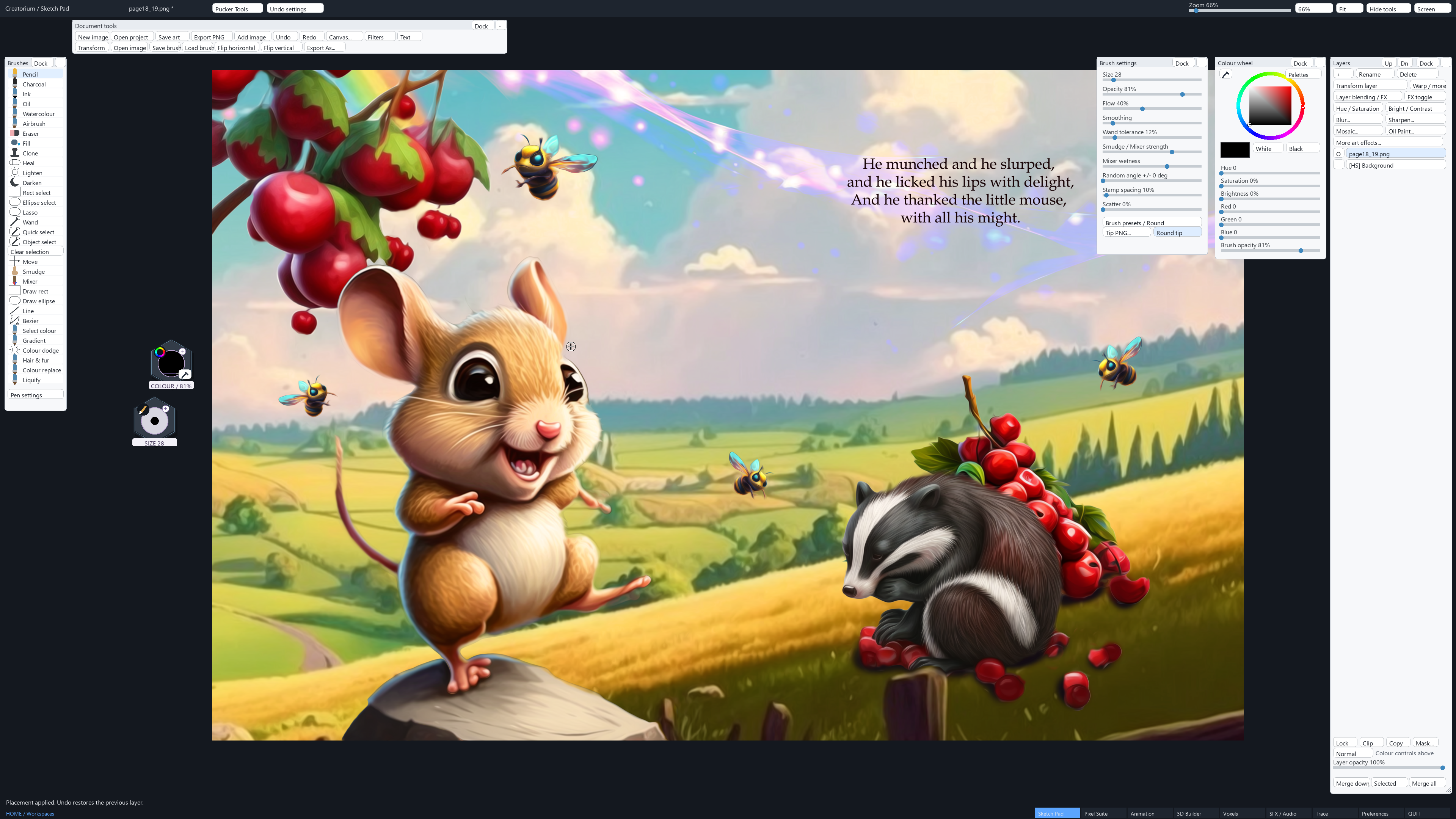
Painting, photo editing, layers, masks and illustration tools.
EXPLORE THE SUITE ↗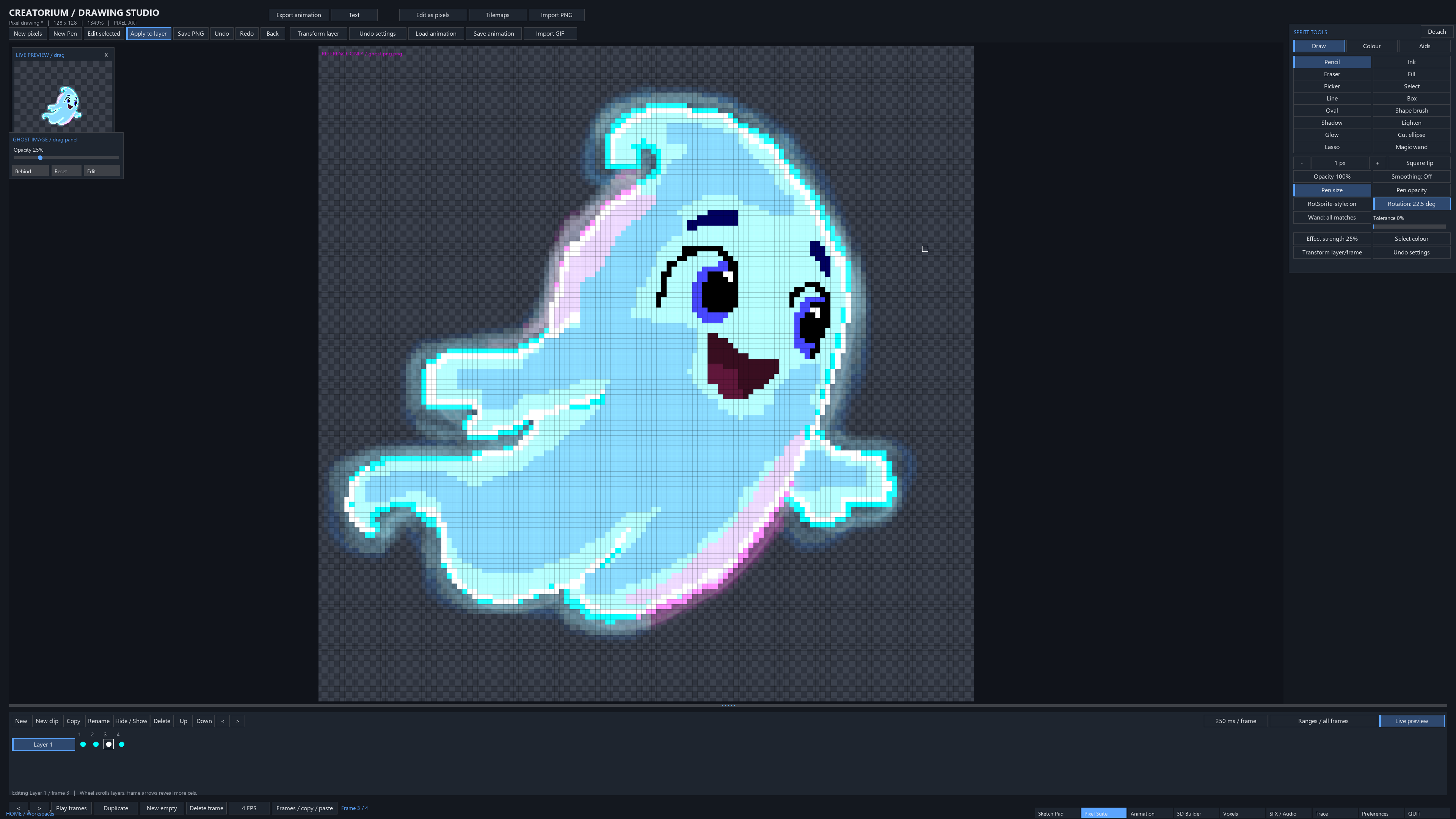
Pixel artwork, layered cels, frame timing and animation previews.
EXPLORE THE SUITE ↗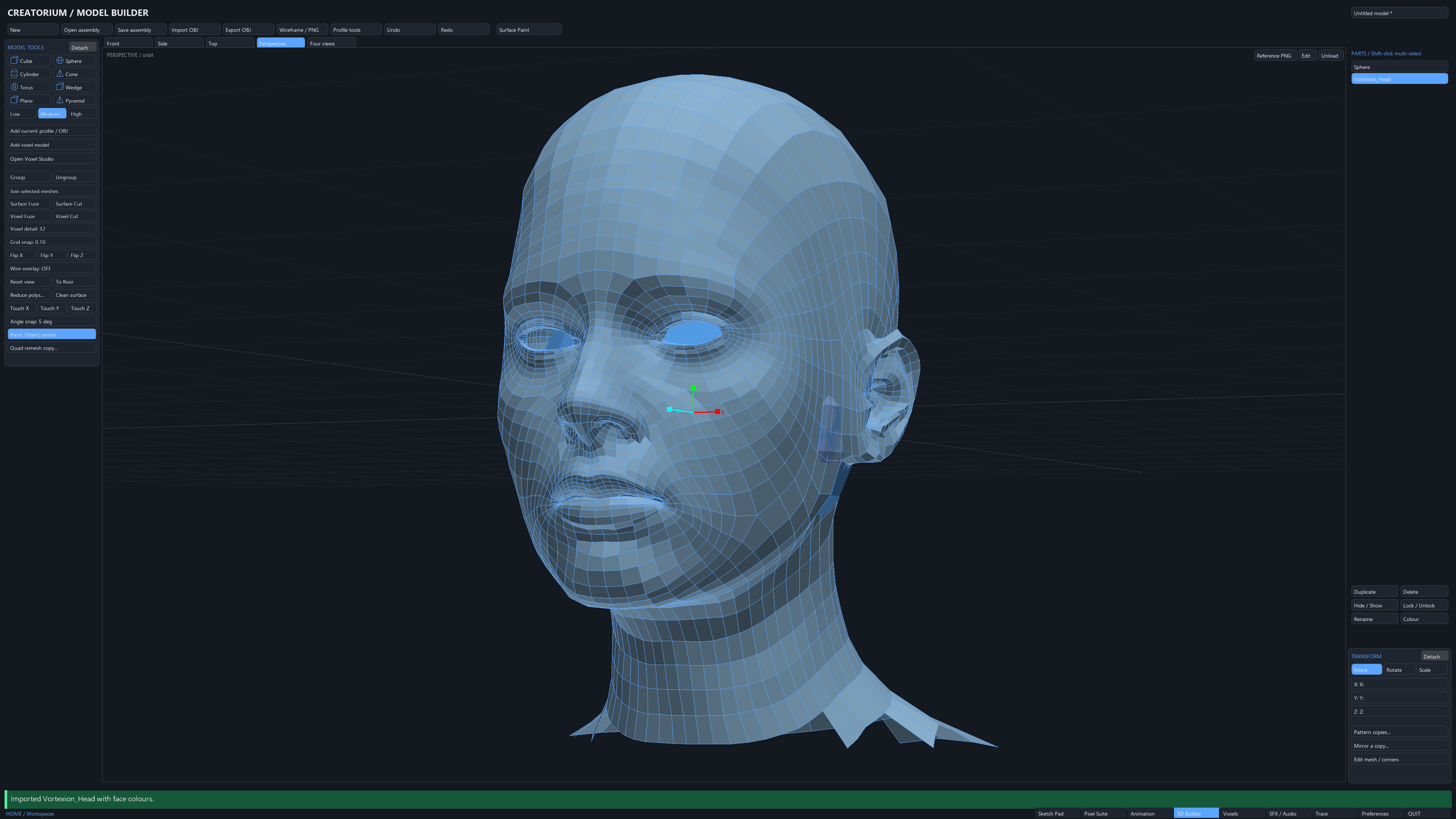
3D assembly, imported OBJ models and editable geometry.
EXPLORE THE SUITE ↗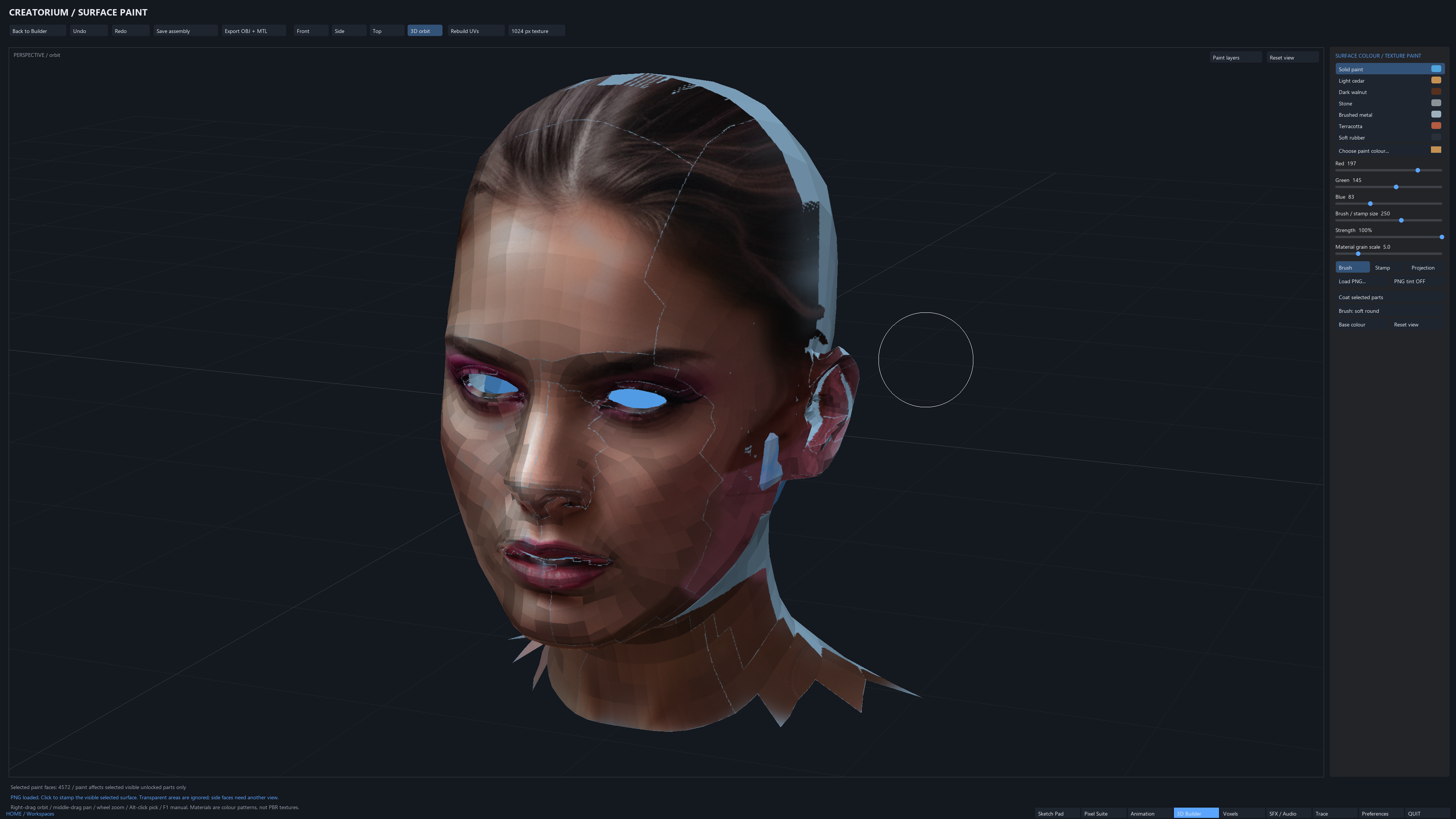
3D surface painting, UV layers, stamps and PNG projection.
EXPLORE THE SUITE ↗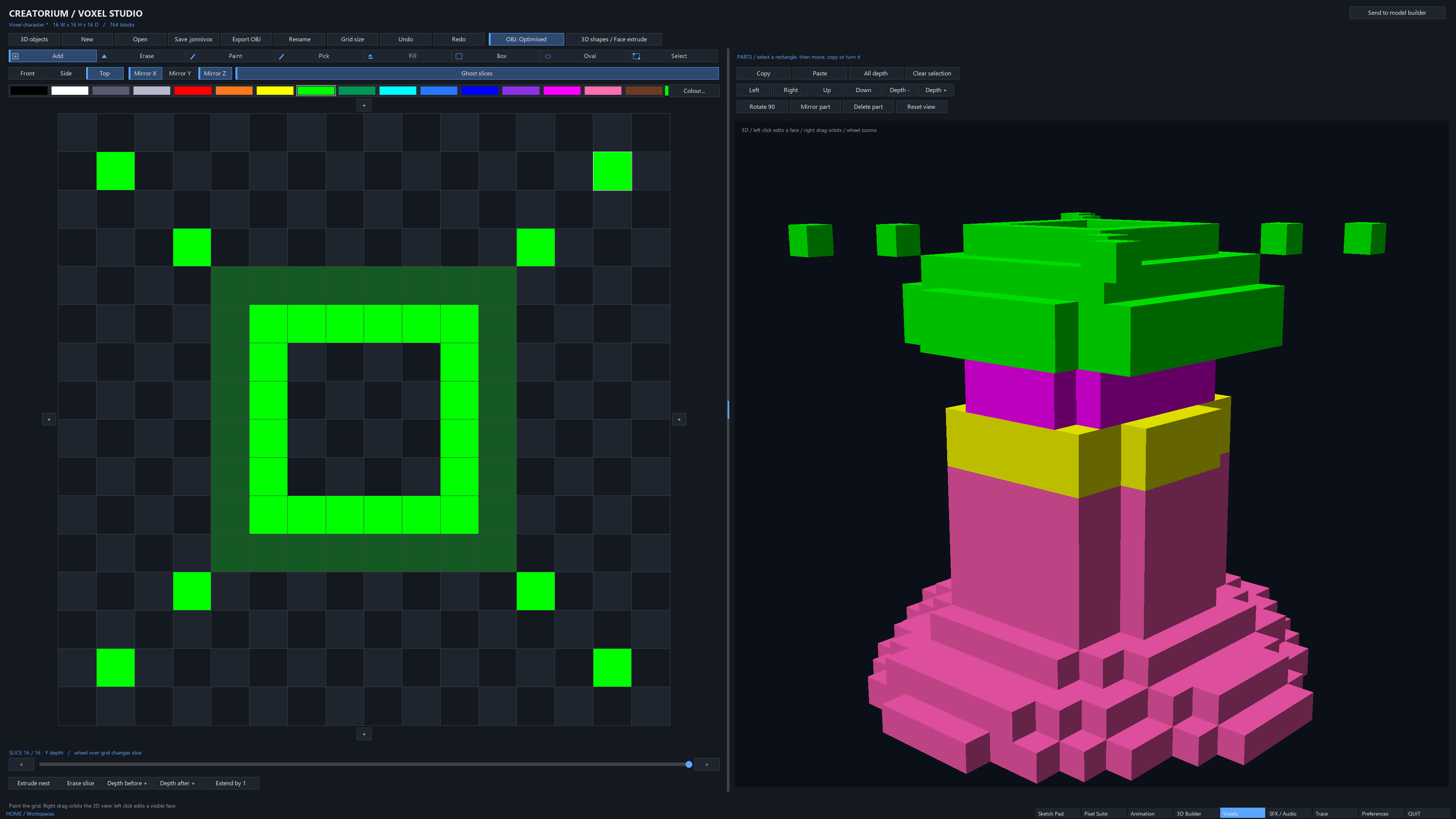
Colourful voxel modelling with slice editing and a 3D view.
EXPLORE THE SUITE ↗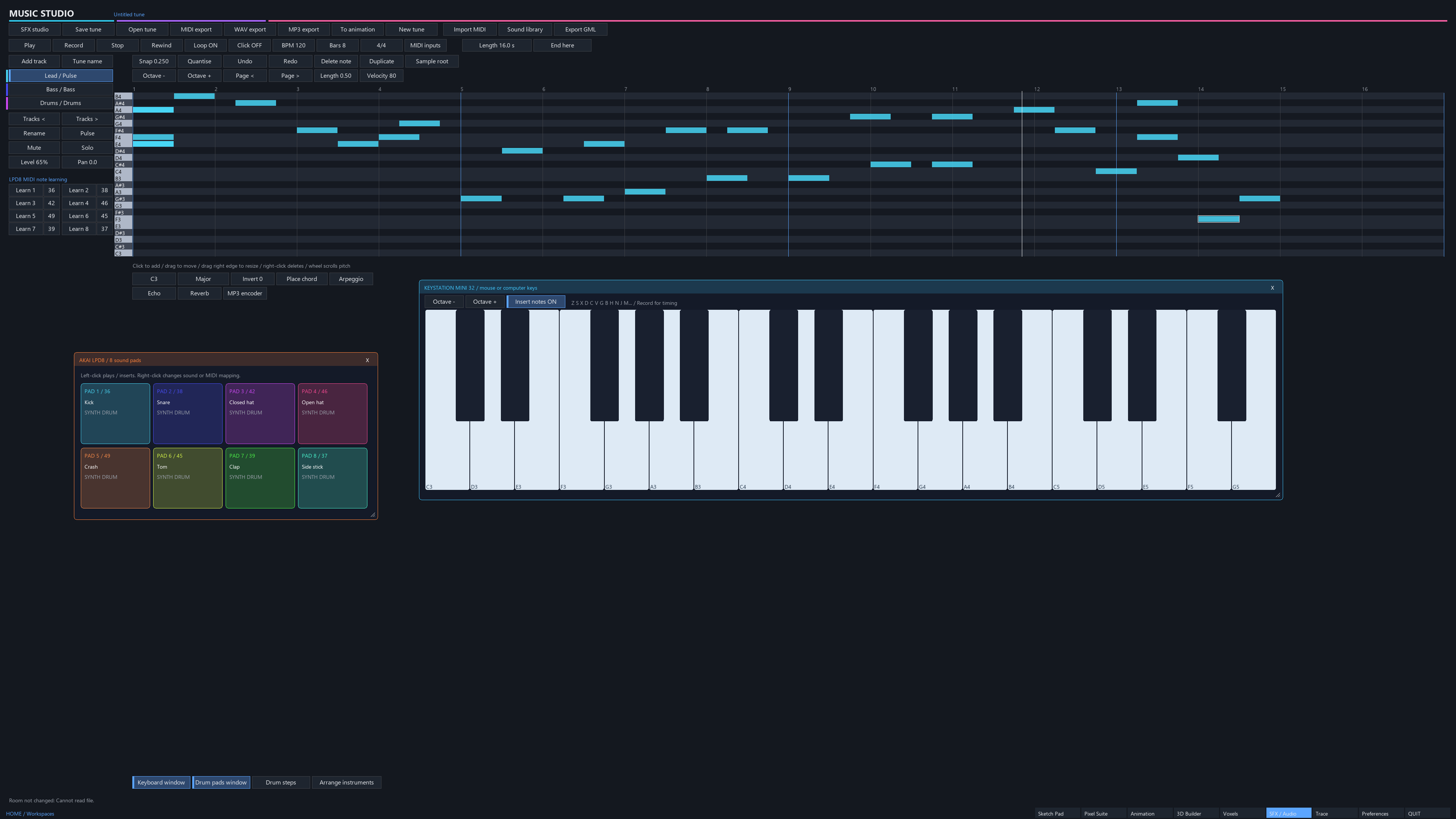
Compose notes, arrange tracks and build music for your game.
EXPLORE THE SUITE ↗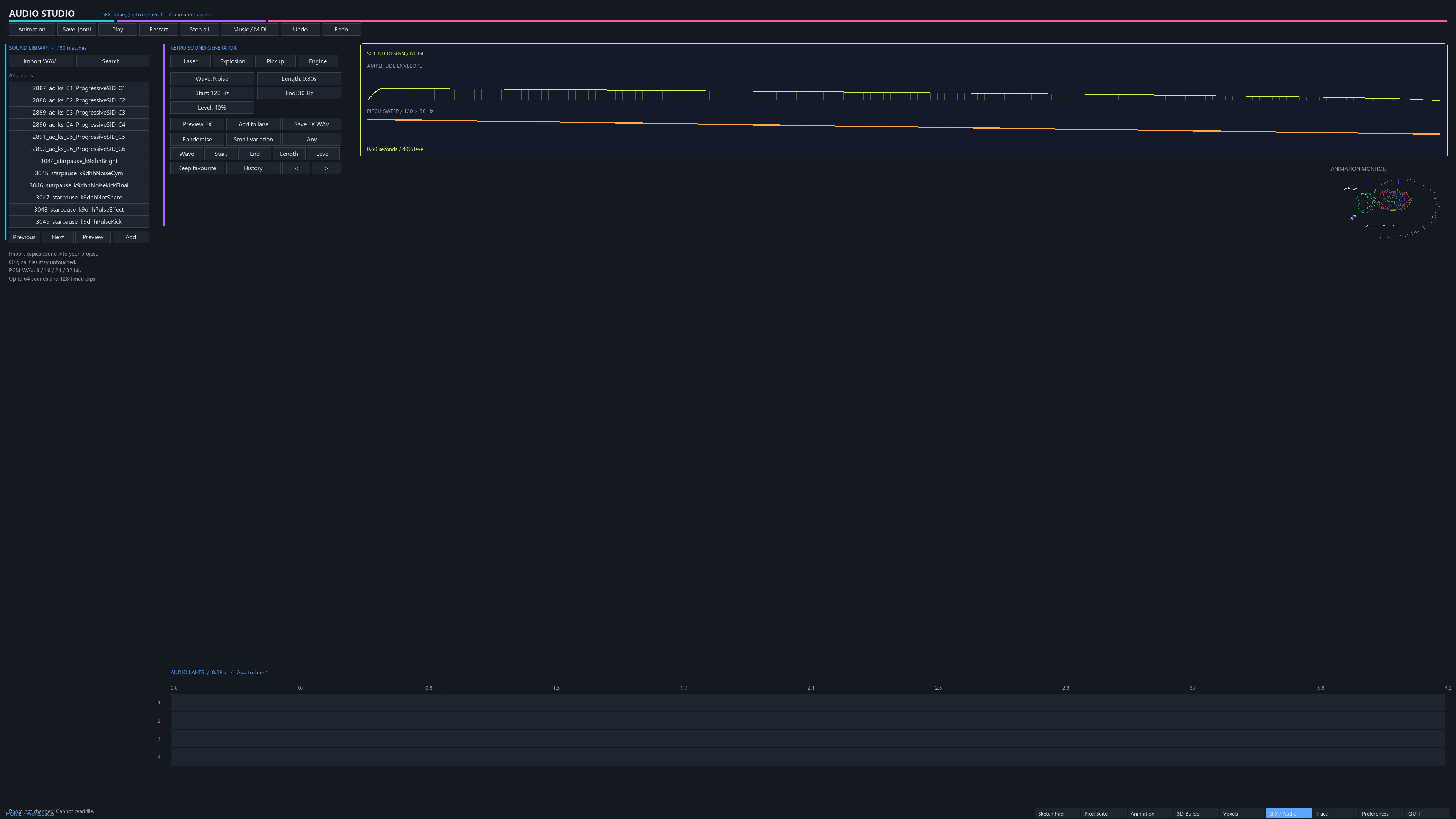
Sound library, retro SFX generation and animation audio lanes.
EXPLORE THE SUITE ↗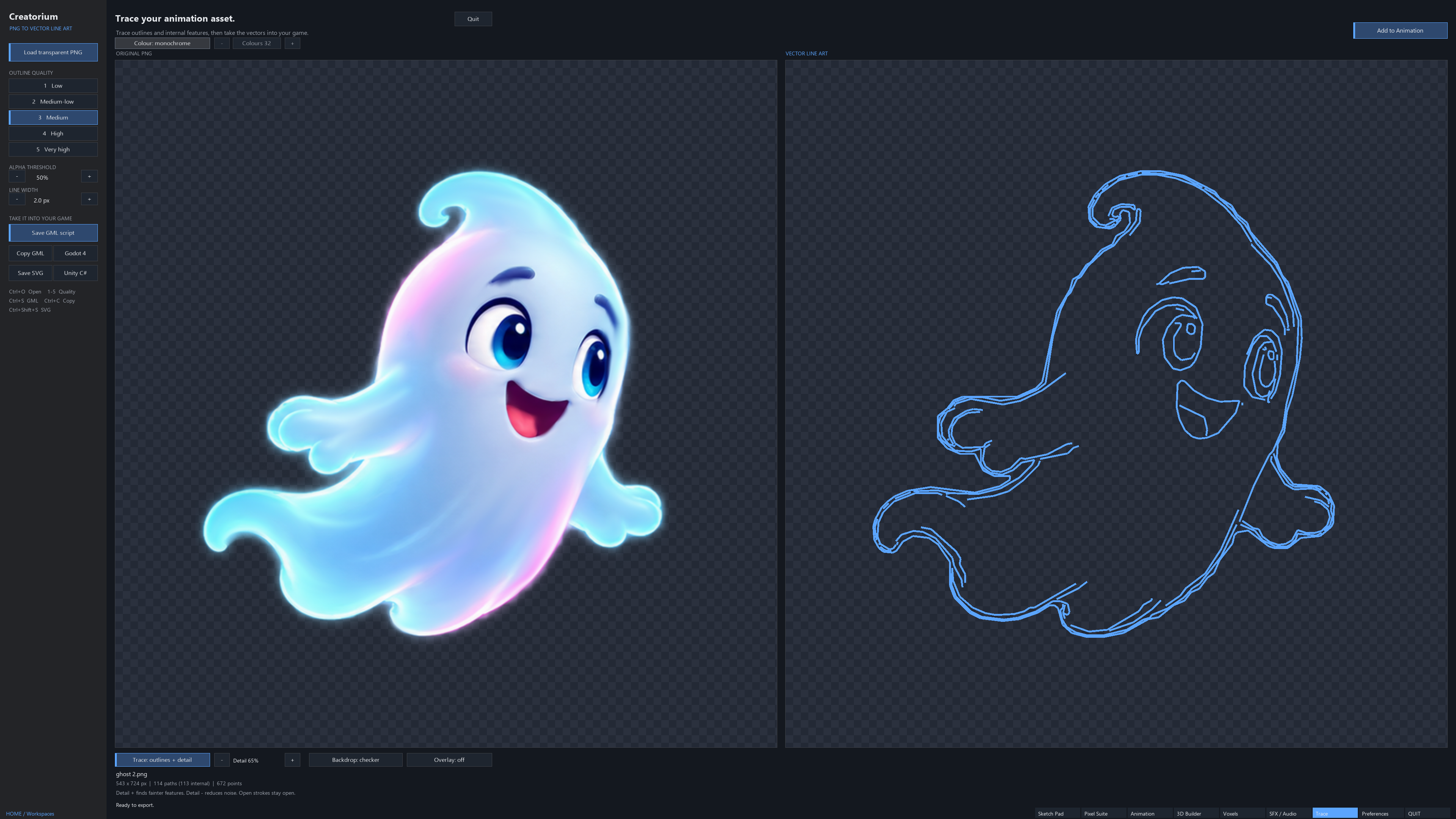
Convert PNG artwork into editable outlines and wireframe-style code.
EXPLORE THE SUITE ↗ANIMATE YOUR GAME WORLD
EXPORT / PNG frames / sprite strips / supported engine code
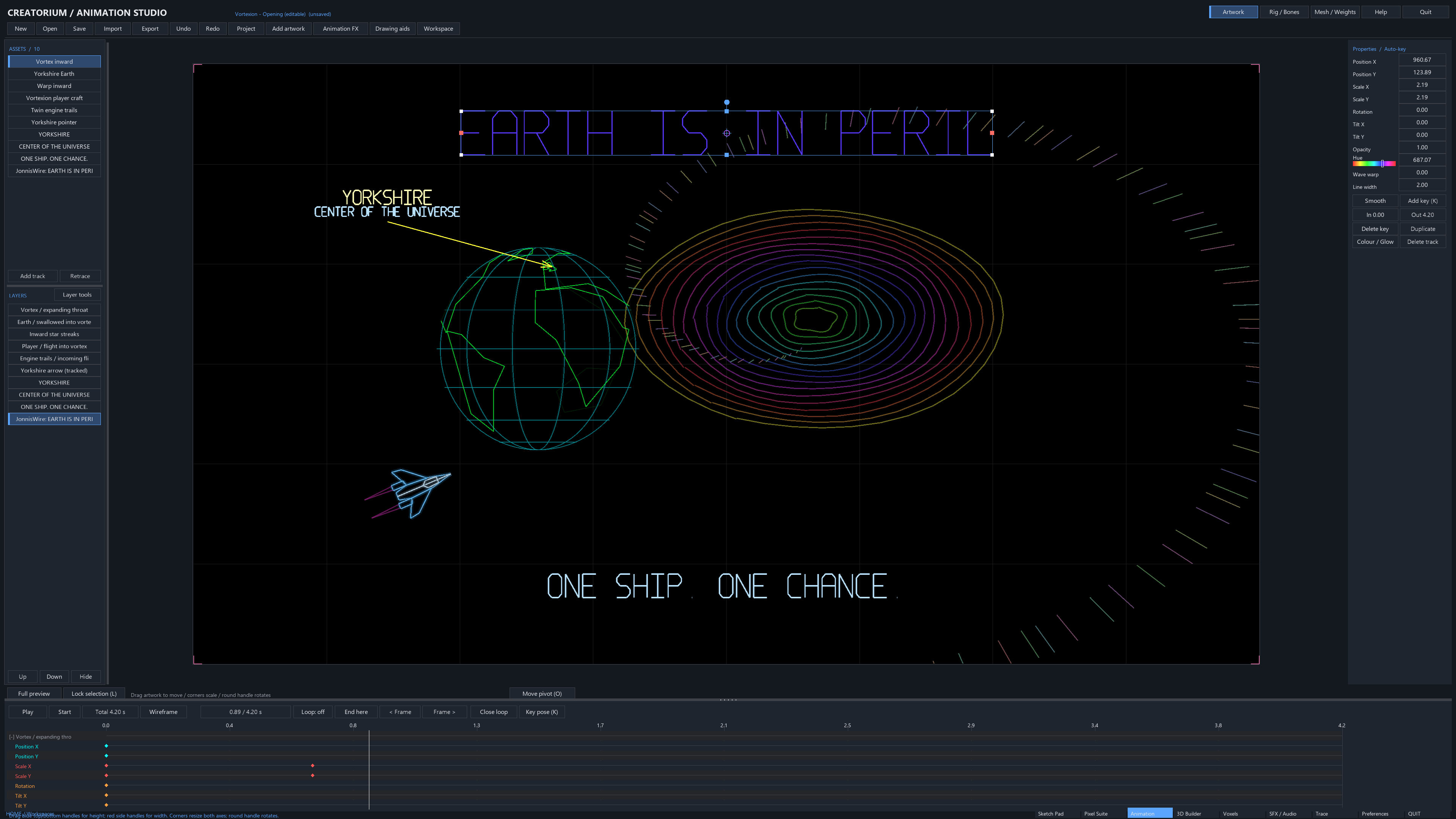
Build cutscenes, animate artwork and text, and give game assets their own movement. The Vortexion opening shows the timeline, editable tracks and animated wireframe artwork working together in a real project.
MODEL BUILDER + SURFACE PAINT
Three real views of the same workflow.
Build the form. Position the PNG. Paint the surface.
Import or assemble the geometry in Model Builder and inspect the mesh from different views.
Position a PNG guide over the model and brush its image detail onto the UV-painted surface.
Orbit the head to inspect the painted face, refine the remaining areas and save the editable assembly.
Brush colour, stamp details, manage paint layers and use PNG projection in the same toolkit. It’s the hands-on surface-painting workflow you might associate with Substance 3D Painter, delivered through Creatorium’s own tools.
TRACE / IMAGE → VECTOR → GAME CODE
Turn an image into outlines you can take into your game.
The ghost on the left becomes vector line art on the right. Trace follows the silhouette and internal features, with controls for quality, detail and transparency.
THE ANIMATION TOOLSET
Keep artwork, rigs, effects and sound
together in an editable project.
Build branching bone hierarchies, attach artwork, key transforms and pose two-bone limbs with IK. Store poses you want to use again.
Bind a mesh, generate automatic weights, refine influences and smooth the result. Use keyed vertices to shape a bend or deformation.
Animate images, text, shapes and curves. Retime channels and reuse character clips with their own looping, speed and phase.
Add glows, hue cycles, pulses, fades, particles, explosions and animated backgrounds. Use Audio Studio and Music Studio to give the scene its sound.
KEEP THE MASTER. EXPORT THE RESULT.
Each workspace has its own native format.
Your editable project is more than an exported image.
.jonniAnimation, rigs, meshes & motion.jonniartLayered artwork & masks.anipixPixel layers, cels & timing.jbuildModel Builder assemblies.jonnivoxEditable voxel creations.jobj3D Viewer geometry & settings.jonmusicEditable music arrangements.jonnibrushReusable brushes & tipsFROM CREATORIUM TO YOUR GAME
Export finished images.
Or deliver supported animation as code.
Generate a Unity C# export with animation data and the companion assets needed for playback in your project.
Open the exported project through Unity Hub and follow its README when bringing the generated code and companion assets into your own game. Keep the required files together.
Export animation data and GDScript playback, ready to bring into a Godot 4 project.
Copy the complete exported folder into your project and attach animation.gd to a Node2D. Use the generated play, pause and seek controls to drive the clip.
Generate artwork data and playback functions for use in your GameMaker project.
Follow the generated setup comments: create the clip, advance it in Step, render it in Draw and call its cleanup function when finished. Generated names depend on your project.
Export PNG images, sprite strips or individual frames. Unity and Godot offer native code export for supported content and a separate rendered PNG-frame playback option for advanced content, including bone and mesh deformation. Rendered playback preserves the look; it does not export an editable engine rig. Keep the native Creatorium project for further edits.
YOUR IDEAS DESERVE YOUR CREATIVE TOUCH
Go beyond an AI image. Make the artwork, shape the movement and build a visual identity that belongs to your game.
You know the expression, the silhouette, the way your character should move. Creatorium gives you the tools to work on those details yourself — from the first sketch to an editable animation, all in one app. Spend your creative energy making decisions, trying ideas and developing a style of your own.
ONE CHARACTER. TWO WAYS TO GET THERE.
Here’s an example of how a multi-app workflow can compare with working in Creatorium.
THE MULTI-APP ROUTE
Learn its brushes, selections, layers and masking tools. Prepare separate character parts for animation.
Learn another interface, bone setup, binding, weights and timeline controls. Check the imported artwork and adjust the rig.
Choose an export format and check transparency, frame timing and companion assets. Revisit the source applications when something needs changing.
Set up the assets or playback code in your engine, test the animation and repeat the handoffs when you revise the character.
Capable tools, each with its own interface, workflow and learning curve. Depending on your choices, separate licences or subscriptions can add to the overhead.
THE CREATORIUM ROUTE
Start in Sketch Pad or Pixel Suite. Draw your character, develop the colours and keep the editable source.
Use Animation Studio to build bones, bind meshes, refine weights and key your movement. Add prebuilt effects where they suit the scene.
Keep your native projects editable. Export PNG frames or use the supported Unity, Godot and GML animation export options.
Bring the export into your game. Return to Creatorium for creative changes, then export the revised result.
One creative toolkit to get familiar with. One payment. Free updates. No Creatorium subscription.
Learn the craft. Keep your momentum.
There’s still a craft to learn, and your game engine has its own setup. Creatorium brings the creative tools together so you can spend less time juggling applications and more time developing your artwork and animation.
Native engine exports support specific content; advanced animation can use rendered-frame playback. See engine export details for the delivery options.
MORE CREATING. FEWER MONTHLY BILLS.
Built around a developer’s needs.
Priced with indie creators in mind.
A one-time purchase. No recurring subscription to keep using your creative tools.
Regular updates and new features are part of the plan, with updates included free for owners.
The aim is to keep Creatorium affordable for solo developers and small teams. The launch price will be announced here.
Creatorium is an early build, and it’s still evolving. Expect regular updates, refinements and new features as development continues.
A NOTE FROM THE DEVELOPER
Three years of work.
A very personal creative toolkit.
Creatorium began with my own animation needs. There were features I wanted, but I wasn’t prepared to take out another subscription to get them. So I started building a tool for myself.
It started as Looking Glass: something to help me make the animations I wanted to make. A general release wasn’t the plan.
As I added more, it became Jonni’s Big Tool. It was still only intended for my own use, so the file extensions were Jonni-related too. Well, it was my software.
A couple of people used it and found it sped up their workflow. They encouraged me to consider a general release. What had been my personal toolkit started to look like something other creators could use.
For three years, while I was away from public life, I kept working on it. Creatorium is the result of that time — and there’s plenty more I want to add.
The idea is simple: useful creative tools, an affordable one-time purchase, free updates and no subscriptions.
FOR SOLO DEVELOPERS. FOR SMALL TEAMS. FOR BIG IDEAS.
Your animation and creative toolkit, together in Creatorium.
Early build · Regular updates and new features planned.
Launch price and download details will be announced here.